
Press kit
DiskSamurai press kit
Fact sheet
- Name
- DiskSamurai
- Tagline
- Slice through disk clutter
- What it is
- A disk-space visualizer and cleaner for Mac
- Price
- Free, no in-app purchases
- Platform
- macOS 12 Monterey or later, Apple silicon and Intel
- Distribution
- Mac App Store (coming soon)
- Category
- Utilities
- Privacy
- Data Not Collected; runs in the App Sandbox
- Developer
- desert bits llc
- Website
- disksamurai.com
- Contact
- alexiskaos@gmail.com
App icon

Screenshots
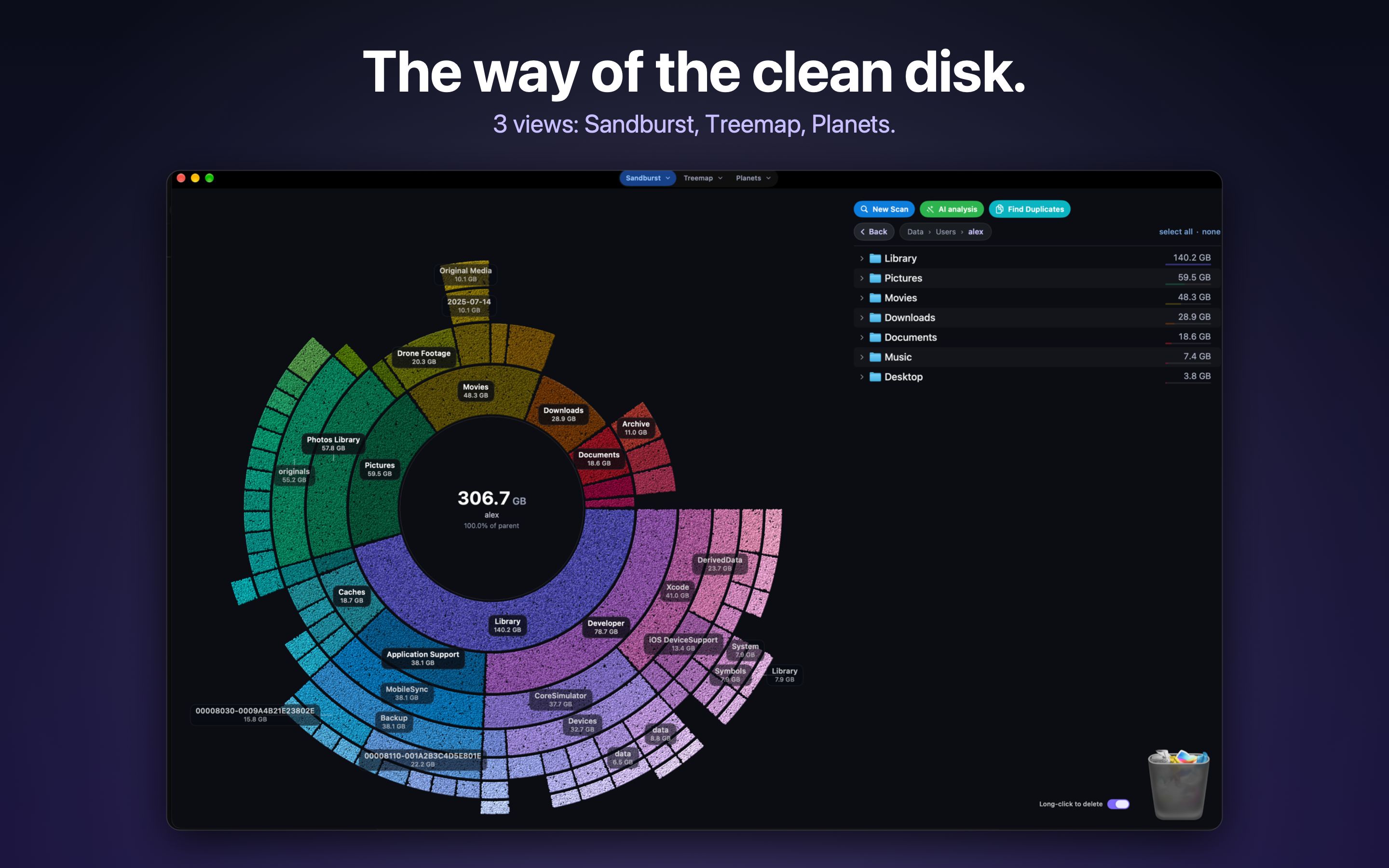
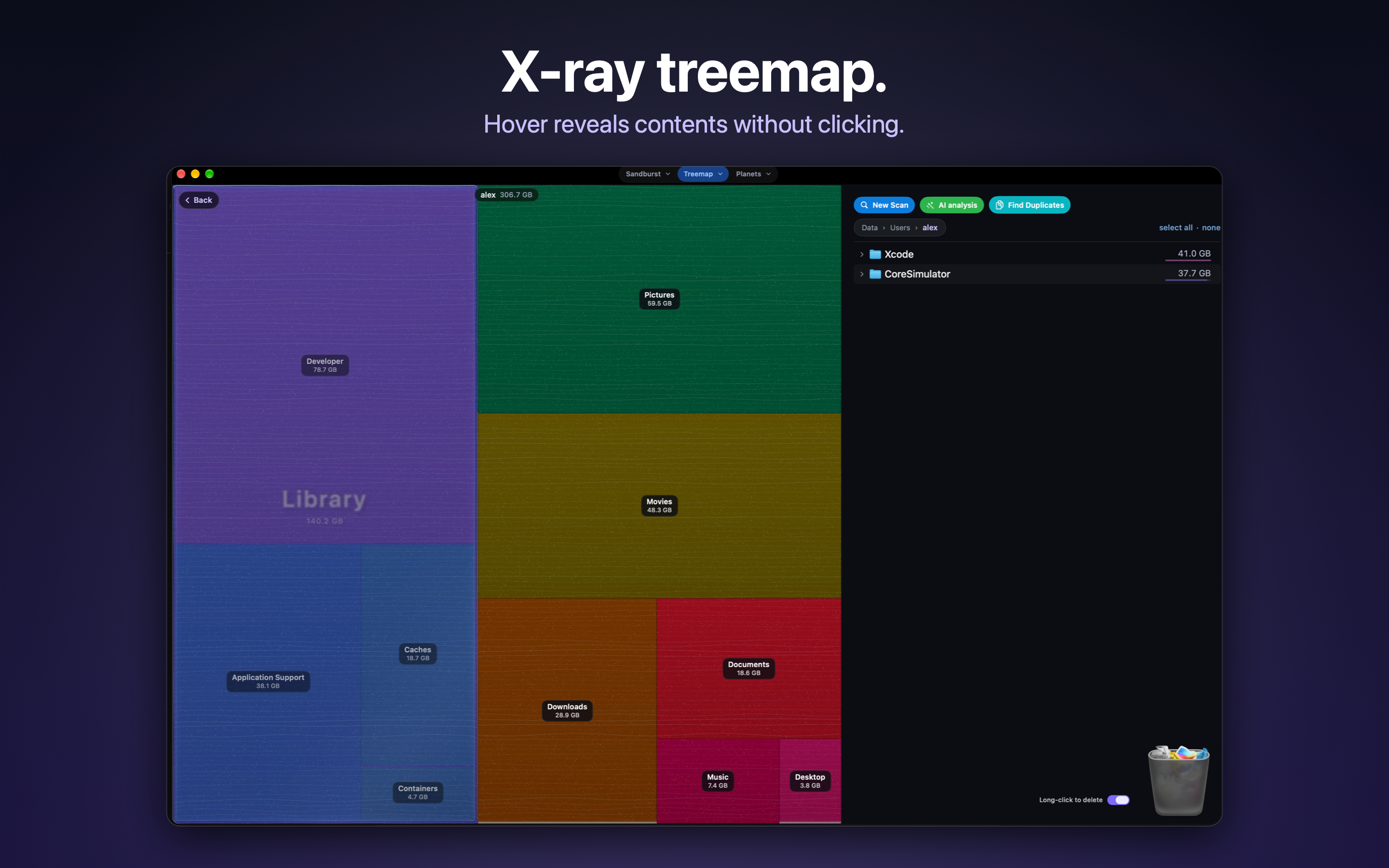
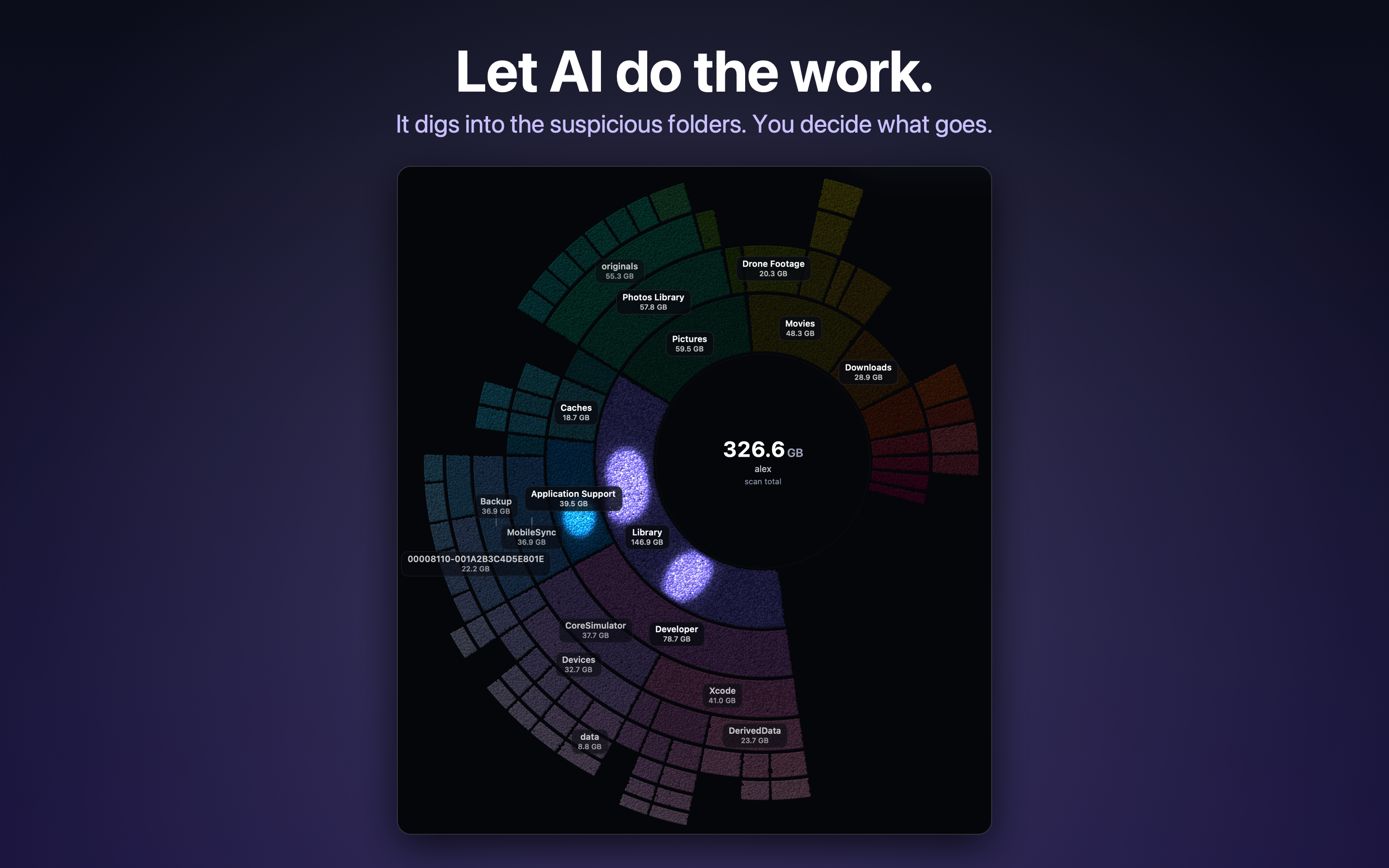
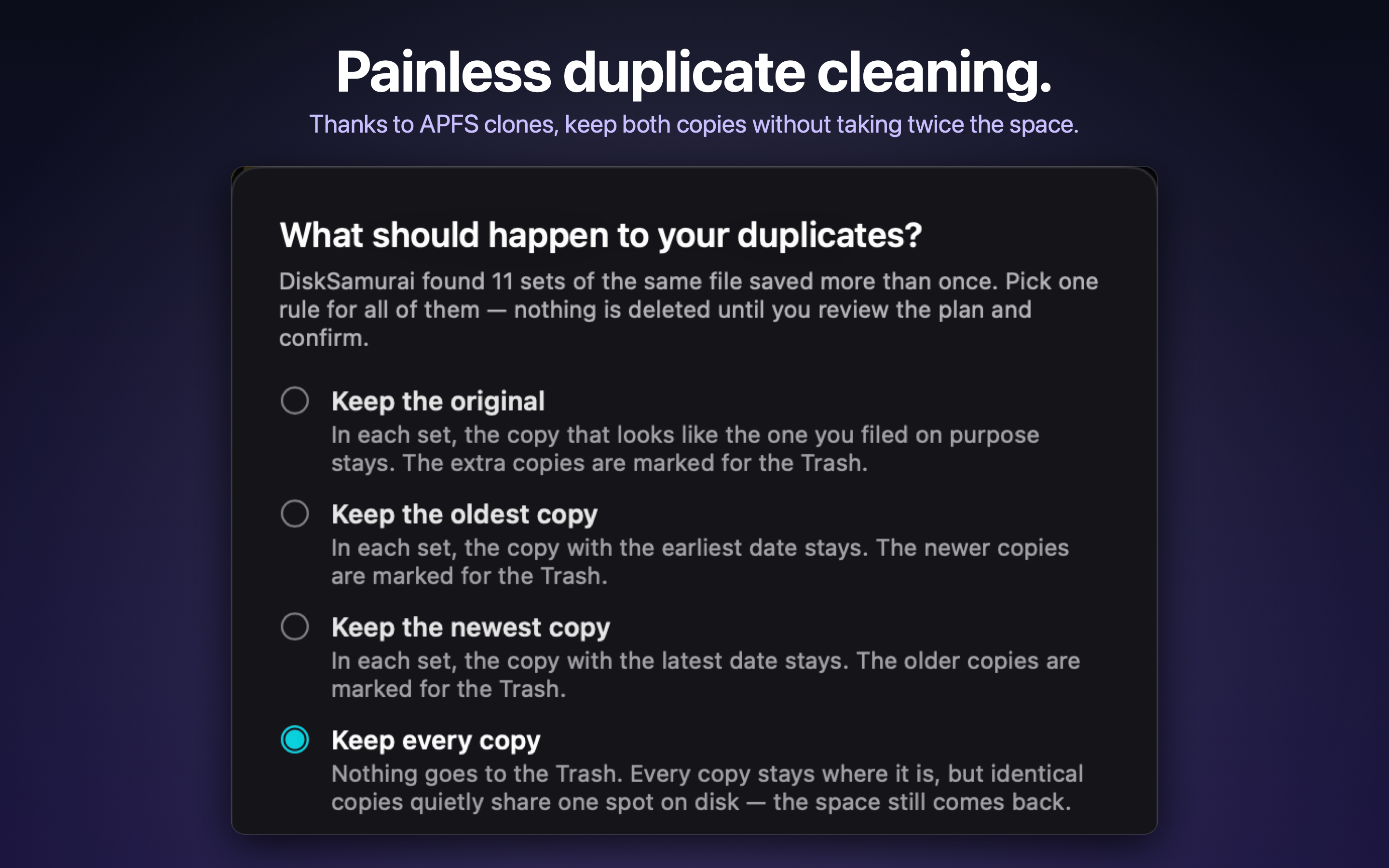
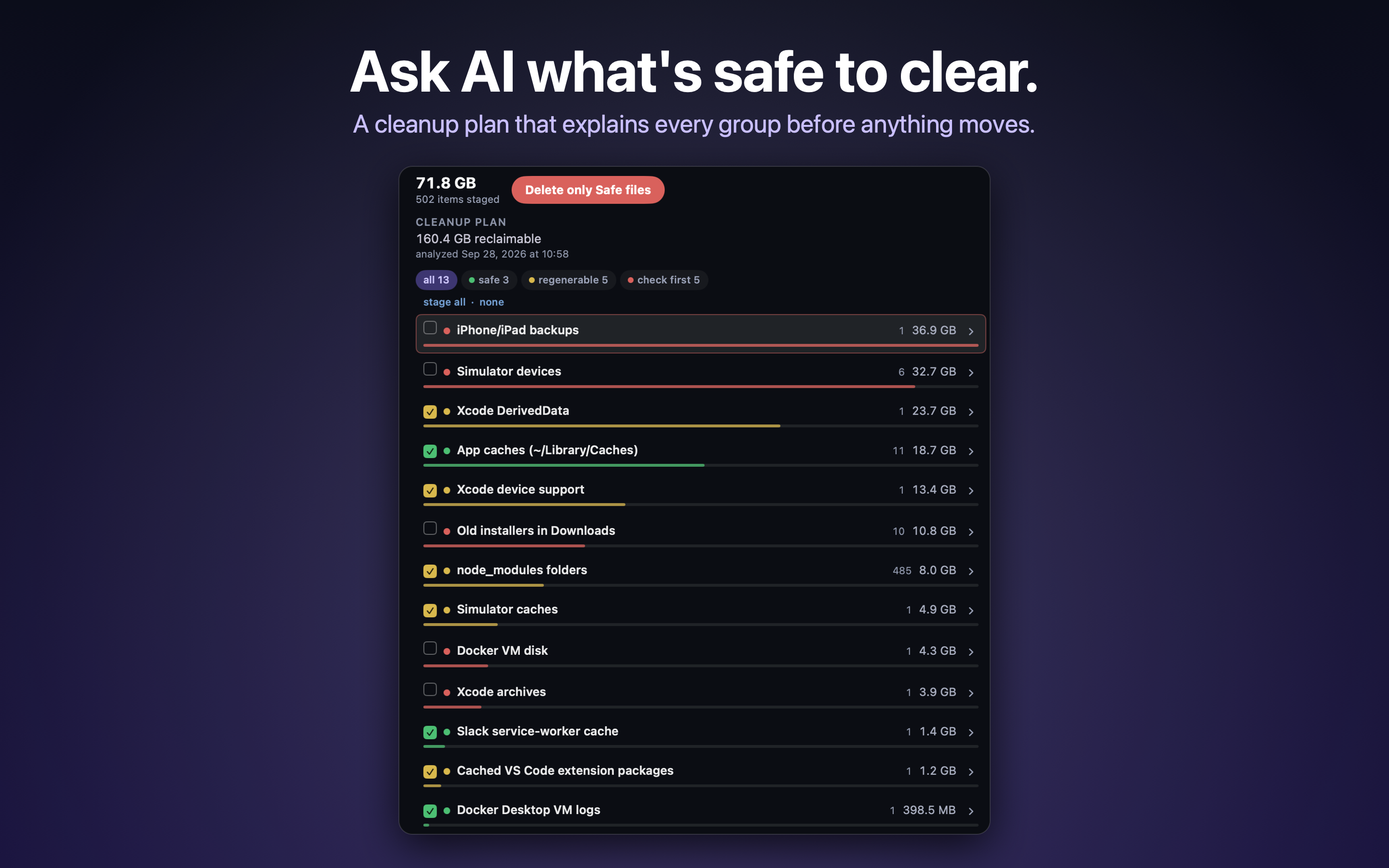
App Store screenshots, 2880 × 1800 PNG. Click a picture for the full-size file.
Video
A short clip of the three views, no voice-over. Download MP4
Short description (about 100 words)
DiskSamurai is a free Mac app that shows what is filling your disk and helps you slash it. One scan, three views: Sandburst, Treemap and Planets. It finds identical files by content, not name, and can even keep every copy as APFS clones so nothing is lost and the space still comes back. Caches, logs, leftover installers and developer junk are grouped so you can clear a category at a time; everything goes to the Trash, and ⌘Z brings it back. Optional AI analysis, with your own API key, suggests what is safe to clear. It runs on macOS 12 or later.
102 words
Long description (about 300 words)
DiskSamurai is a more beautiful, fun and smart way to free disk space on a Mac. It is free, with no in-app purchases, no account and no data collected.
It measures your disk once and lets you see that scan three ways. Sandburst draws your folders as rings around the centre, each ring one level deeper. Treemap turns every folder into a block sized by what it holds, and hovering reveals contents without clicking. Planets shows the same folders as a small solar system. All three are rendered on the GPU with Metal.
Find Duplicates matches identical files by content, not name. For each set you can keep the original, the oldest or the newest copy, or keep every copy: identical copies are replaced with APFS clones, so every file stays where it is, nothing is lost, and the space still comes back. Nothing is deleted until you review the plan and confirm.
Caches, logs, leftover installers and developer junk are grouped so you can clear a category at a time. Everything goes to the Trash, and ⌘Z brings it back. There is even an optional click-and-hold to delete: hold a file or folder for two seconds and it goes to the Trash. It's more fun that way.
For a second opinion, optional AI analysis asks a model to suggest what is safe to clear and returns a cleanup plan that explains every group before anything moves. You bring your own API key for Anthropic, OpenAI, Google, xAI or any OpenAI-compatible endpoint; the key stays in your Keychain. Only file names, paths, sizes and dates are sent, never contents, and DiskSamurai asks before sending anything to each provider.
DiskSamurai runs on macOS 12 or later, on Apple silicon and Intel Macs.
291 words
Contact
desert bits llc · alexiskaos@gmail.com
For review copies: DiskSamurai is free, so just download it from the Mac App Store once it is live. No sign-in or demo account is needed.